
10 Best Video to Video AI Tools for Creators Working With Existing Footage
- Authors

- Name
- Geeks Kai
- @KaiGeeks
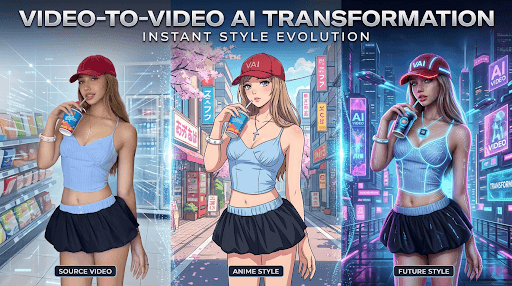
A strong video to video tool helps when you already have footage and want to improve it instead of starting from zero. That can mean changing the look of a clip, adjusting mood, translating a video, creating a new variation for social media, or turning rough footage into something more polished.
In current product docs, Runway and Luma both explicitly present video-to-video workflows, Kling surfaces “modify video” and “restyle video,” Adobe supports translating existing video, and Kaiber documents video restyle from uploaded files.
This version looks at the category from a practical angle: which tools make the most sense when you are trying to get more value from footage you already have. Some are better for cinematic restyles. Some are better for business reuse. Some are better for quick creator edits. Videoinu stays first here because it gives creators a practical place to use Kling 3.0 and Wan2.6 for video to video work inside a broader workflow.
Tool List
1 Videoinu 2 Runway 3 Luma AI 4 Kling AI 5 Adobe Firefly 6 Kaiber 7 Veo 8 Pika 9 Canva 10 Descript
Videoinu——For Using Kling 3.0 and Wan2.6 in One Workflow
Videoinu is a practical option for creators who want a simpler place to work with strong models instead of splitting their workflow across too many tools. The biggest reason it belongs in this list is direct and useful: on Videoinu, you can use Kling 3.0 and Wan2.6 for video to video creation.
That makes Videoinu especially appealing for creators who are testing multiple directions from the same source footage. Instead of treating every clip like a disconnected experiment, it fits better when you want to compare model behavior, refine existing footage, and keep moving toward content you can actually publish. For creators building repeatable Shorts, ad variations, and channel clips, that is a practical advantage.
Pros
- Good for comparing model output inside one workflow
- Useful for repeatable creator content pipelines
- Easier to connect transformed footage to publishing work
Cons
- Best value depends on having a clear use case
- Some users may still prefer native model platforms
- Broader workflow can feel heavier than a single-purpose tool
Runway——For High-End Video Restyling
Runway is one of the clearest names in a real video to video roundup because its official help center explicitly documents video-to-video creation on Gen-3 Alpha and Turbo, and newer Runway help pages reference video-to-video on newer generations as well. Runway’s workflow is built around uploading existing footage and changing the result through prompts and controls.
That makes Runway especially strong for editors, agencies, and creators who want to push a source clip into a very different visual direction. Ads, trailers, music visuals, premium social edits, and brand campaigns are all natural use cases here.
Pros
- Clear official video-to-video support
- Strong reputation for pro creative workflows
- Good for film, ads, and branded content
- Useful for more advanced transformation tasks
Cons
- Can feel complex for beginners
- Heavier workflow than casual creator tools
- Costs can rise with frequent use
Luma AI——For Fast Cinematic Changes
Luma AI belongs high on this list because it has a dedicated video to video page and openly presents changing framing, mood, camera movement, environment, and style from existing footage. Its broader Dream Machine materials also describe generating from clips, not just prompts and images.
That makes Luma especially useful for creators who already have a clip and want a fast cinematic shift. It is a strong option for short branded edits, dramatic hooks, fashion-style visuals, and refreshed social cuts from older footage.
Pros
- Clear official video-to-video positioning
- Good for cinematic mood changes
- Useful for short branded and social edits
- Fast way to refresh existing clips
Cons
- Best for shorter transformations
- Less workflow-heavy than full editor suites
- Can need retries for precise changes
Kling AI——For Modern Video Modification
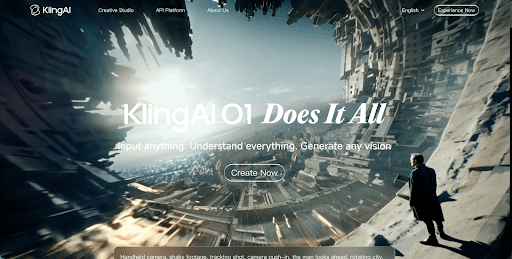
Kling AI is a realistic inclusion because its official tool surfaces explicitly mention modify video, restyle video, and related controls. Its user guide also describes changing subjects, backgrounds, style, environment, colors, shot composition, and angles in the original video.
For creators, Kling AI is especially attractive when motion quality and modern model behavior matter. It is useful for creators who want stronger control over how an existing clip evolves instead of just generating a new one from scratch.
Pros
- Officially supports video modification and restyling
- Strong relevance with Kling 3.0
- Useful for creators who want more control
- Good fit for multi-shot creative work
Cons
- Less beginner-friendly than simpler apps
- Results depend heavily on source footage and prompts
- Native workflow may feel busy for some users
Adobe Firefly——For Business Video Reuse
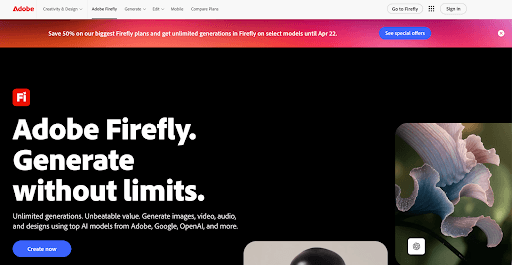
Adobe Firefly earns a spot because Adobe publicly supports Translate Video, including uploading existing clips and adapting them into multiple languages. Adobe also ties Firefly’s video workflows to broader editing and business-friendly reuse of media.
That makes Firefly especially useful for marketers, agencies, and business teams. It is not the wildest stylization tool here, but it is one of the most believable choices when the real need is practical video transformation, localization, and faster reuse of finished footage.
Pros
- Strong for localization and business workflows
- Good for existing commercial video assets
- Practical ecosystem for teams
- Useful for video reuse at scale
Cons
- Less focused on artistic restyles
- More practical than experimental
- Some creators may want more visual freedom
Kaiber——For Artistic Video Restyles
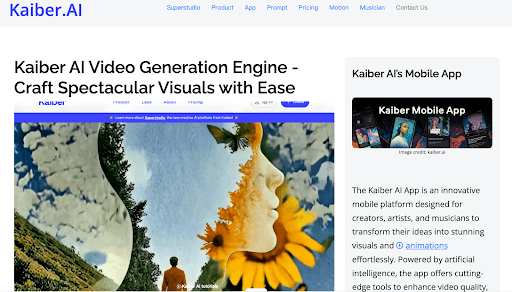
Kaiber belongs in a realistic roundup because its official help center explicitly documents Video Restyle, including uploading MP4 or MOV files and transforming them with prompts and aesthetics.
That makes Kaiber a strong choice for creators who care more about artistic transformation than realism. Music videos, motion posters, stylized edits, and mood-heavy social clips are where it feels especially natural.
Pros
- Clear official support for video restyle
- Good for artistic and stylized output
- Useful for music and visual-first creators
- Strong for mood-heavy creative work
Cons
- Less business-oriented than Adobe or Runway
- Can feel more aesthetic than precise
- Not ideal for every creator workflow
Veo——For Premium Existing-Footage Upgrades
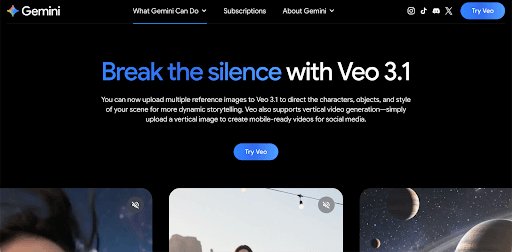
Veo belongs here because Google DeepMind positions it as a major video generation model with stronger control and higher-end output, and Google now places Veo across several creator-facing workflows. While it is more often discussed for generation than explicit classic video-to-video editing, it is still one of the most credible names when creators want premium visual upgrades around existing material and broader video workflows.
That makes Veo especially relevant when the goal is not just changing a clip, but making it feel more polished and premium. It is a strong name to know even if your exact workflow combines multiple steps.
Pros
- Strong premium visual reputation
- Good for polished creator and brand content
- Useful for upgrading visual quality
- Backed by a major ecosystem
Cons
- Less explicit on classic video-to-video than Runway or Luma
- Heavier than quick social tools
- May be more than needed for simple edits
Pika——For Fast Social Variations
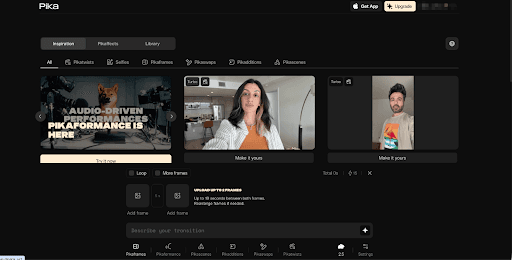
Pika fits this list as a lighter creator tool. It is best understood as a fast way to turn one source concept into multiple short, eye-catching outputs. That makes it especially useful for creators repurposing clips into social-friendly variations, hooks, and punchier edits.
Pika is not the most enterprise-style tool here, but it makes sense for creators who care more about speed and visual energy than a heavy studio workflow.
Pros
- Fast for short social variations
- Good for visually playful outputs
- Useful for quick hook testing
- Lighter workflow than pro suites
Cons
- Less advanced than top pro tools
- Better for short content than deep edits
- Not the strongest fit for business reuse
Canva——For Simple Repurposing Work
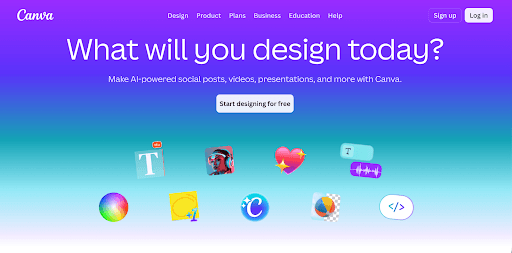
Canva is not a model-first video to video platform, but it belongs on a practical list because many creators and small teams use it to edit, enhance, and repurpose existing video quickly. For simple social production and lightweight reuse, it is one of the easiest tools to work with.
That makes Canva a believable pick for creators who care more about simplicity than advanced transformation control.
Pros
- Easy workflow for simple repurposing
- Good for small teams and fast content
- Familiar interface
- Useful for lightweight production
Cons
- Less advanced than model-first tools
- Better for simple edits than dramatic changes
- Limited for power users
Descript——For AI Editing on Existing Footage

Descript belongs here because many real video to video workflows are actually AI editing workflows. Creators often need captions, cleanup, narration, structure, and repackaging more than a full restyle. Descript’s public product positioning centers on all-in-one video and audio editing with AI support, which makes it very relevant for existing footage workflows.
For commentary, tutorials, education, interviews, and talking-point videos, Descript can be more useful than a pure transformation model.
Pros
- Strong AI editing workflow for existing footage
- Good for tutorials, commentary, and education
- Helpful for cleanup and repackaging
- Practical for repeat production
Cons
- Less about visual restyle than model-first tools
- Better for editing than cinematic change
- Not the strongest fit for stylized transformation
Conclusion
The best video to video tool is not always the one with the flashiest demo. It is the one that fits what you are actually trying to do with the footage you already have. Some people want premium restyling. Some want localization. Some want fast social versions. Some want easy access to strong models.
That is why Videoinu works well at the top of this version. If you want a practical place to use Kling 3.0 and Wan2.6 for video to video work while still thinking about repeatable creator output, it is easy to justify. The rest of the list stays close to tools that feel credible in official product materials and real market discussion.
FAQS
What is a video to video AI tool?
A video to video AI tool transforms footage you already have, often by restyling, enhancing, localizing, or changing the mood and look of a source clip.
Which tool is good for cinematic video changes?
Runway and Luma AI are two of the clearest choices because both publicly support transforming existing footage into a different visual result.
Which tool is good for business video reuse?
Adobe Firefly is a strong option for localization and commercial reuse because Adobe explicitly supports video translation workflows for existing video.
Which tool is good for artistic video transformation?
Kaiber is a strong fit if you want stylized or aesthetic restyles rather than mainly practical edits.
Why is Videoinu first in this list?
Because this ranking is written from a practical creator angle: on Videoinu, you can use Kling 3.0 and Wan2.6 for video to video work, which makes it a convenient starting point if you want model choice inside a broader workflow